INTRO: Why is this here? I've heard of this Wordle craze. So I checked it out, and it turns out that I invented it.  Sort of... you see, back in the days of shareware, my first app that I ever wrote was called Masterword. It was based on a 5-letter word game that my wife and I would play together on paper in the 80's. I released it on AOL and then later on a website I called fivedollarsoftware, where I put little apps that I'd written. The app was popular and got a few thousand downloads. Later, I created an online version in the mid 2000's... If you ever played the game MasterMind game with colors, mine was with 5-letter words. Hence, MasterWord. I spent a summer vacation as car passenger reading through the American Heritage dictionary for every five letter word to populate the game, and then sorted the words by difficulty. (I'm persistently geeky like that.) I'm not claiming infringement or anything. I just find it interesting that someone has done a version of it that now has taken the world by storm. You may not like the NYT, but since they own it, they use the game to promote the rest of their business. You go there not because you want to read the NYT, but because you want to play the game. The HELP Part MasterWord is a guessing game with words; you use five-letter words to guess the computer's five-letter word. The computer has a library of nearly 4,000 words and chooses one of these words when it loads, so you're ready to begin right away. You enter your word and the computer responds by telling you how many letters you have correctly guessed and, of those, how many are in the right place. Keep guessing until you can deduce enough about the computer's word to correctly guess it. Entering Words You start by choosing a 5-letter word and entering it into the box and pressing Submit.  In this example, we enter 'paint'. 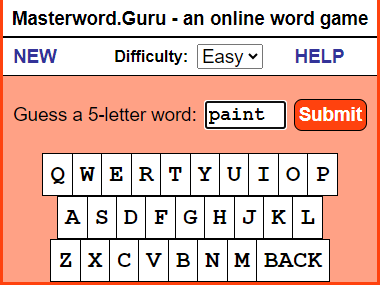 The letters we enter light up in a light yellow so that we can see what letters have been entered so far. You can either use the keyboard-like keys on the screen or use your own keyboard to enter your guess into the box. The words you guess are displayed in the lower History section. Beside each word, you can see the number of letters you got right in the computer's word and, of those, how many are in the right position. A score of 0 0 means that none of the letters are in the computer's word. 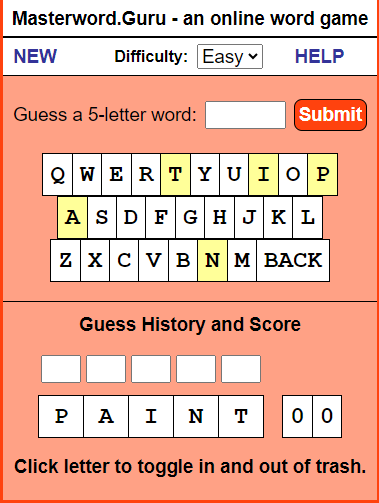 A score of 2 1 means that two of the letters are in the computer's word, and one of those letters is in the right position. 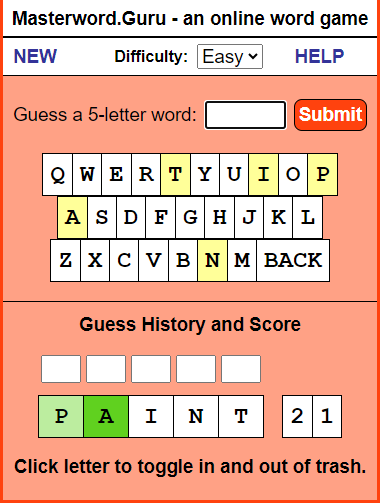 So you keep guessing five-letter words - in the case below, 'happy'. That returns a score of 2 2, meaning that the A and the P are correct and in the right position. 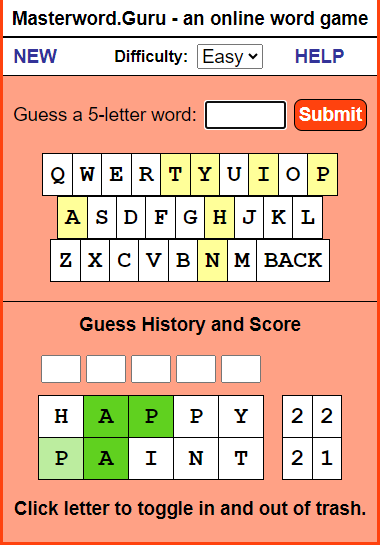 As you play games, you'll become more accustomed to guessing the words based on the clues given to you. 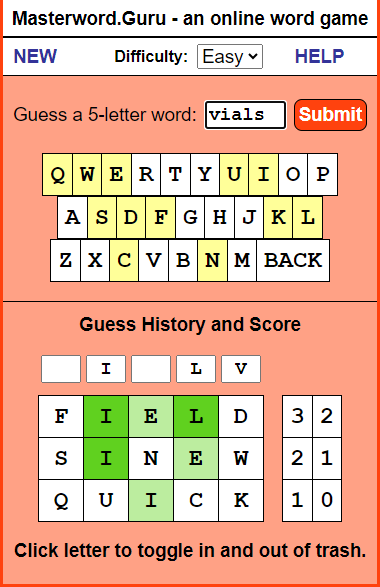 One of the tools you will want to use is the ability to blockout a letter and throw it away, so to speak. You do that by clicking on the letter in the History section, which will turn the letter black.  You can also use the five boxes above the History to play around with the letters and see what works. This helps you to visualize the right answer. Once you correctly guess the computer's word, it will tell you and give you the option to play again - and you can choose to use normal everyday words, or more challenging words. 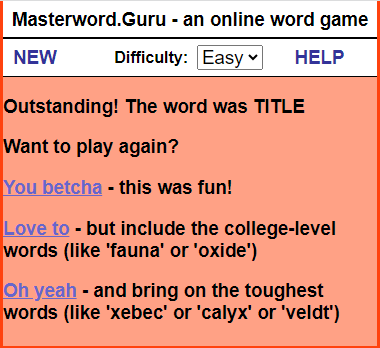 Lastly, you can choose to change the difficulty of the game by changing from Easy to Hard. If you play in the Hard mode, the letters will not light up in green. Instead, you have to use pure logic to determine which letters are correct and in the right place. But in the middle of a game, you can switch between Easy and Hard if you need a hint. | ||||